WooCommerce stores serving EU customers have been inside EAA enforcement scope since June 28, 2025. That means your product pages, your cart, your checkout form, your plugin-injected components, and your theme's visual design are all subject to EN 301 549 — the EU standard that requires WCAG 2.1 Level AA compliance.
WooCommerce is the most flexible e-commerce platform on the web, which is precisely why it's the hardest to make EAA compliant. Flexibility means every store is different. A WooCommerce store running Flatsome theme with WooCommerce Subscriptions, a custom product configurator, and two page builder sections has a completely different accessibility profile than one running Storefront with default WooCommerce blocks. There is no single WooCommerce WCAG checklist that applies to every store. There's only your store — and whether it passes or fails when an enforcement authority audits the live DOM.
For the full EAA requirements beyond WooCommerce specifics, see our EAA compliance hub.
Why WooCommerce Compliance Is Harder Than It Looks
WooCommerce relies on WordPress, and WordPress relies on themes and plugins — which is why a WordPress accessibility checker has to test the page as the browser finally renders it, not as the editor shows it. Each layer introduces its own accessibility characteristics:
Theme layer: Most premium WooCommerce themes prioritize visual design over semantic HTML. Features like sticky headers, mega menus, off-canvas sidebars, and animated product sections frequently lack proper ARIA attributes, break keyboard navigation, or produce color contrast failures. A theme that "supports accessibility" according to its product page may still generate dozens of WCAG violations when scanned against a live site with real products and real content.
Plugin layer: WooCommerce has thousands of plugins. Payment gateways inject their own iframes and form fields. Subscription plugins add portal pages. Review plugins add rating widgets. Wishlist plugins add icon buttons. Chatbot plugins add floating overlays. Each plugin brings its own accessibility risk — and plugin updates can introduce new violations at any time.
Content layer: Alt text, heading hierarchy, descriptive link text, and language declarations are content-level attributes. Developers can build accessible templates; content teams can still undo that accessibility by entering products without alt text or copying in blocks of content with broken heading structure.
Checkout layer: WooCommerce's checkout is notoriously complex. The standard checkout page processes form validation, payment method switching, shipping calculations, and coupon application — all dynamically. Many of these interactions involve ARIA live regions, focus management, and error announcements that are easy to break and easy to miss in testing.
Where the Violations Actually Are
A live-DOM scan of a typical WooCommerce store reveals a consistent set of violations concentrated in the same components. Here's what appears most frequently and what WCAG criterion applies:
| Component | Common Violation | WCAG Criterion | Fix Tier |
|---|---|---|---|
| Product images | Missing or decorative alt text | 1.1.1 Non-text Content | Content (your team) |
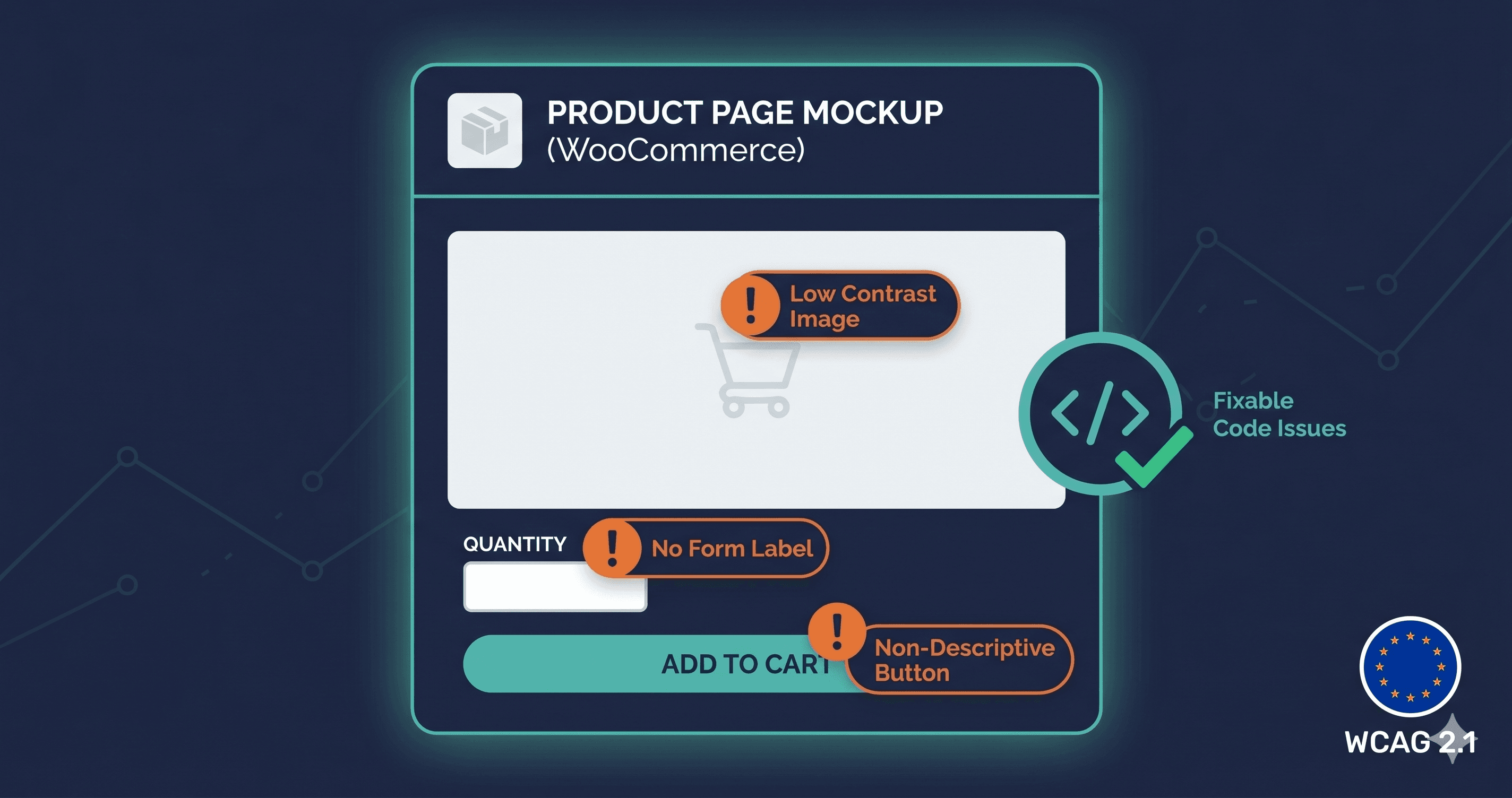
| Product page CTAs | Insufficient color contrast on "Add to Cart" | 1.4.3 Contrast (Minimum) | Theme CSS |
| Product variation selectors | No accessible name on color/size swatches | 4.1.2 Name, Role, Value | Theme or plugin code |
| Navigation menus | Missing focus indicators | 2.4.7 Focus Visible | Theme CSS |
| Checkout form | Unlabeled inputs for email, address, phone | 1.3.1 Info and Relationships | WooCommerce template |
| Checkout form | Error messages not programmatically linked | 1.3.1 + 4.1.3 | WooCommerce hooks |
| Payment iframe (Stripe/PayPal) | Keyboard navigation breaks in iframe context | 2.1.1 Keyboard | Payment gateway vendor |
| Modals and overlays | Keyboard trap on open | 2.1.2 No Keyboard Trap | Plugin vendor |
| Product filter widgets | Checkboxes not keyboard accessible | 2.1.1 Keyboard | Plugin or theme |
| Search bar | Missing visible label | 2.4.6 Headings and Labels | Theme template |
| Review widgets | Inaccessible star rating inputs | 4.1.2 Name, Role, Value | Review plugin vendor |
| Page language | Missing lang attribute on `` | 3.1.1 Language of Page | WordPress settings or theme |
The single most fixable high-impact item — missing alt text on product images — is also the most commonly missed. A WooCommerce catalog with hundreds of products entered by different team members over multiple years will typically have inconsistent alt text coverage: some images fully described, some with filename-as-alt-text, and some with no alt text at all.