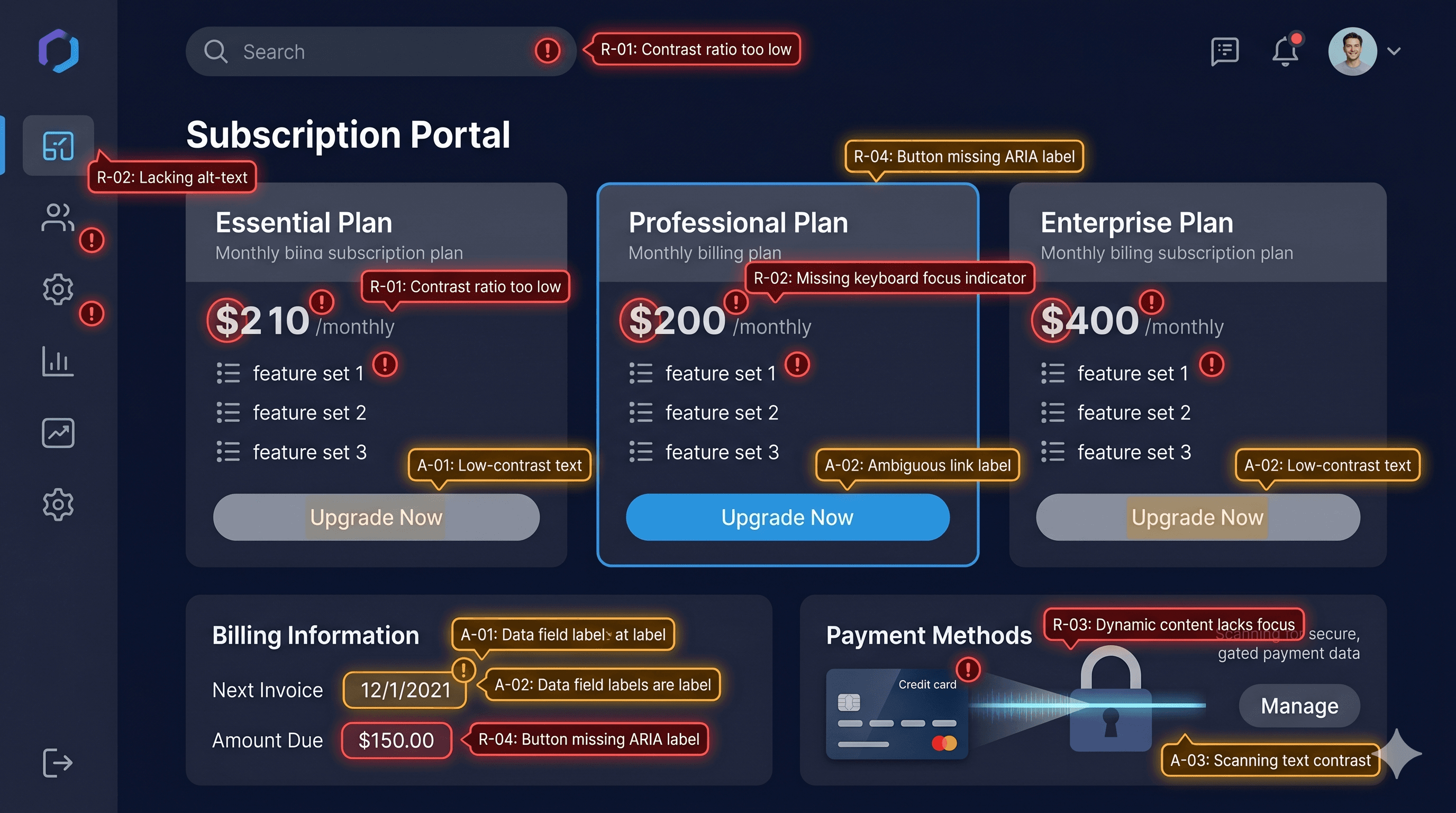
A subscription business lives and dies by its customer portal — and if that portal is inaccessible to the 26% of U.S. adults who have a disability, you're not just losing revenue. You're also exposed to ADA litigation. Recharge is the most widely used subscription platform for Shopify, but its customer portal UI introduces WCAG 2.1 AA violations that merchants rarely check and plaintiff attorneys increasingly do.
In 2025, over 4,800 ADA web accessibility lawsuits were filed in U.S. federal courts — a significant increase year-over-year according to UsableNet. Subscription portals sit at the intersection of several high-risk accessibility failure categories: complex forms, dynamic content, date pickers, and account management flows that depend heavily on JavaScript interaction. If any of those elements can't be operated by keyboard or understood by a screen reader, your store is exposed.
What Makes Subscription Portals High-Risk for WCAG
Standard Shopify storefronts are complex enough — product pages, cart drawers, checkout forms. Subscription portals add another layer of dynamic UI: skip-shipment controls, billing date calendars, address editing forms, product swap interfaces, and account cancellation flows. Every one of those elements must be keyboard-operable and announced correctly to screen readers under WCAG 2.1 Level AA.
Recharge's customer portal is rendered dynamically. The portal isn't a static HTML page — it's a JavaScript-driven interface that pulls subscription data and presents it through interactive components. That means static HTML accessibility scanners that don't execute JavaScript will miss most of the issues. You need a live DOM scanner that renders the portal the way a real browser does.
Another complication: the Recharge portal sits on a separate domain or subdomain from the main store. Merchants often audit their storefront and forget to test the portal at all — leaving a gap that plaintiff firms can exploit.
Common WCAG Violations in Recharge Portals
Unlabeled form controls
Account management forms in Recharge — address fields, skip-shipment toggles, frequency selectors — regularly lack properly associated `` elements. When a label element's for attribute doesn't match the input's id, screen readers cannot tell the user what the field is for. A user navigating by keyboard might encounter a blank input with no description.
WCAG 1.3.1 (Info and Relationships) and 4.1.2 (Name, Role, Value) both require that form controls have programmatic names. Unlabeled inputs are consistently among the top violations cited in ADA demand letters targeting ecommerce.
Inaccessible date pickers
Billing date modification features in Recharge often rely on calendar widget components. Calendar date pickers are notoriously difficult to make accessible — they typically require complex ARIA grid patterns, keyboard navigation between cells using arrow keys, and screen reader announcements of the selected date. Most third-party calendar widgets fail at least part of this requirement.
WCAG 4.1.2 and 2.1.1 (Keyboard) apply here. If a subscriber using a screen reader cannot change their billing date without a mouse, that's a direct WCAG failure.
Missing error announcements
When a user submits a form incorrectly — for example, entering an invalid address — the error messages that appear must be announced to screen readers. If errors are displayed visually but not in a way that triggers an ARIA live region or shifts focus to the error, screen reader users may submit the form repeatedly without understanding what went wrong.
WCAG 3.3.1 (Error Identification) and 3.3.3 (Error Suggestion) require that errors are identified, described, and suggestions for correction are provided where possible.
Low-contrast status labels
Subscription status badges — "Active," "Paused," "Cancelled" — are often displayed in small colored chips with insufficient contrast. A light green badge with white text for "Active" can easily fall below the 4.5:1 contrast ratio required by WCAG 1.4.3 for normal-sized text.
Keyboard focus loss on dynamic updates
When a user skips a shipment or swaps a product, the portal updates dynamically via JavaScript. If keyboard focus disappears after the update — a common issue in AJAX-heavy interfaces — keyboard users lose their position and must start navigating from the top of the page. WCAG 2.4.3 requires that focus order is logical and maintained.