ADA vs WCAG: What's the Difference (And Why Both Matter for Your Website)
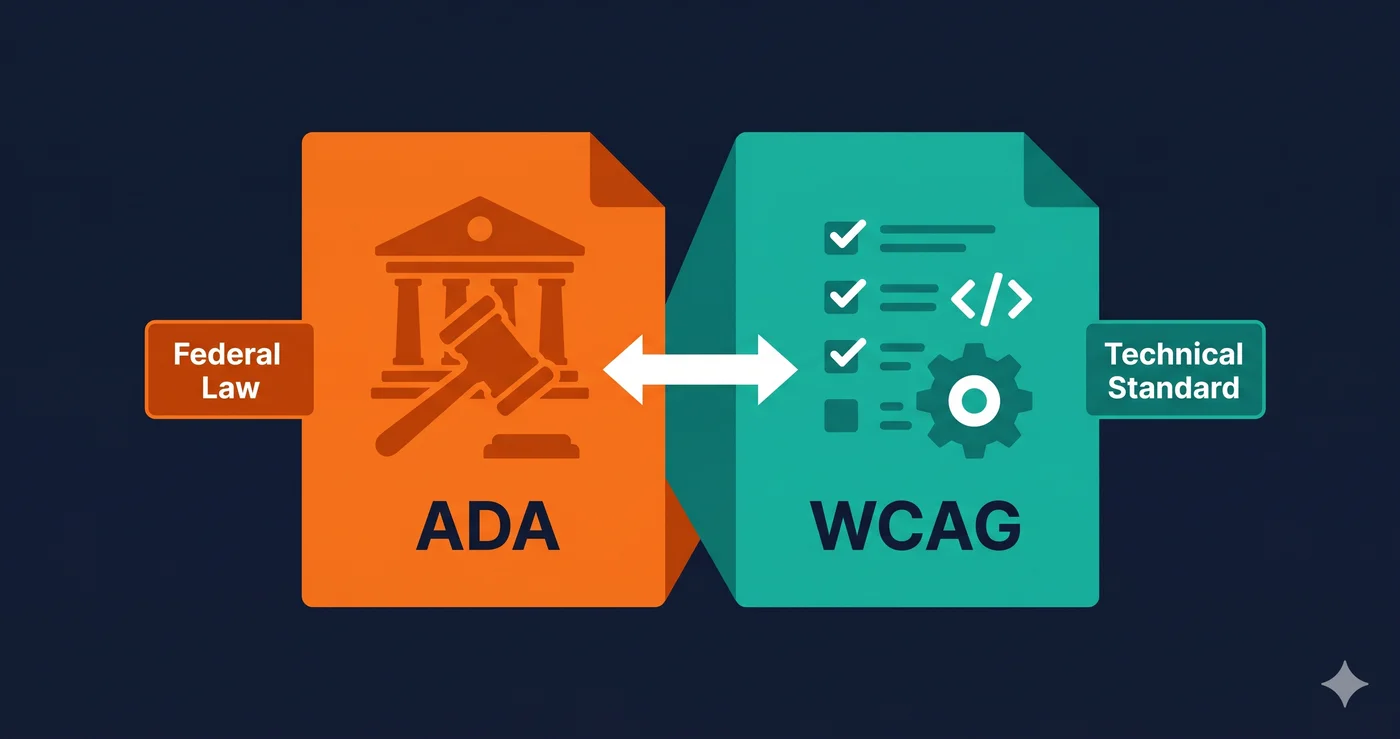
The ADA is a law. WCAG is a technical standard. One can get you sued. The other tells you how to avoid it. They're often confused — but they're completely different things. Here's exactly how they relate.
Every web team has heard this sentence. Very few know what it actually means — because the ADA doesn't tell you what to build. It tells you what you can't discriminate against.
The technical blueprint comes from somewhere else entirely.
Here's the complete picture of how ADA and WCAG relate, which one you can actually be sued under, and what "compliance" means in practice.
The One-Line Difference
ADA = US federal civil rights law. Prohibits discrimination against people with disabilities. Can result in lawsuits.
WCAG = Technical guidelines published by the W3C. Describes how to make websites accessible. Not a law, but used as the measurement standard in ADA lawsuits.
You can't be "WCAG compliant" in a legal sense — WCAG is guidelines, not a law. But if you're sued under the ADA, a court will measure your website against WCAG to determine if it's accessible.
What Is the ADA?
The Americans with Disabilities Act was signed into law in 1990. It prohibits discrimination against people with disabilities across employment, public accommodations, transportation, and government services.
Title III — the section relevant to websites — requires places of "public accommodation" to be accessible to people with disabilities.
Courts have consistently ruled that websites are places of public accommodation under Title III. The landmark ruling: Robles v. Domino's Pizza (9th Circuit, 2019). Domino's argued their website wasn't covered. They lost. That ruling set the precedent that's been used in thousands of subsequent cases.
What the ADA Doesn't Say
Here's the important gap: the ADA does not specify a technical standard for websites. It says "don't discriminate." It doesn't say "use 4.5:1 contrast ratios."
This created a gray area that plaintiff attorneys have exploited for years — and that the DOJ has slowly been closing.
What Is WCAG?
WCAG stands for Web Content Accessibility Guidelines. It's published by the World Wide Web Consortium (W3C) — the same organization that sets HTML and CSS standards.
WCAG is organized into three conformance levels:
Level
Description
Required For
A
Minimum baseline — basic accessibility
Absolute floor
AA
Standard target — covers most user needs
Required in most legal contexts
AAA
Enhanced — highest level
Government/specialized use
When someone says "WCAG compliance," they almost always mean WCAG 2.1 Level AA — the standard that courts and regulators use as the benchmark.
WCAG Versions
Version
Published
Status
WCAG 2.0
2008
Superseded
WCAG 2.1
2018
Current legal standard
WCAG 2.2
2023
Adopted by most regulators
WCAG 3.0
In development
Not yet finalized
> 🔑 What you actually need to target: WCAG 2.1 Level AA is the current baseline — required by DOJ rule for state and local government websites (Title II), and used as the de facto standard by courts in most private-business ADA lawsuits (Title III), even though no DOJ regulation formally binds private businesses. WCAG 2.2 adds 9 new criteria and is increasingly referenced in new regulations (including the 2026 HHS healthcare rule).
How They Work Together
Here's how a real ADA lawsuit unfolds, and where WCAG enters the picture:
Plaintiff (often represented by a serial litigation firm) scans your website
Their scanner finds WCAG violations — missing alt text, low contrast, unlabeled inputs
They file a complaint under the ADA, alleging your website discriminated against disabled users
The court measures your website against WCAG 2.1 AA to determine if it was accessible
If violations exist, you either settle or face trial
WCAG is the measurement tool. ADA is the legal hammer. You need to understand both.
The Key Differences Side by Side
Feature
ADA (Title III)
WCAG 2.1 AA
Type
Federal law
Technical guidelines
Publisher
US Congress / DOJ
W3C (international body)
Enforced by
Courts, DOJ
Not directly enforceable — used as measurement standard
Applies to
US businesses serving the public
Adopted globally by regulators
Specificity
High-level ("don't discriminate")
Highly specific (exact criteria, success criteria)
Penalties
$75,000–$150,000 first violation
No direct penalties (it's guidelines)
Required version
No specific version in statute
2.1 AA most commonly required
Who Does Each Apply To?
ADA (Title III)
Applies to private businesses that qualify as "places of public accommodation." This includes virtually every business with a website that serves customers — retail, restaurants, healthcare, financial services, hospitality, and more.
Exemptions: Very small businesses (typically under 15 employees for employment provisions, but no clear size exemption exists for Title III website lawsuits).
WCAG — Adopted by Regulation
Even though WCAG itself isn't law, it's been adopted as the required standard in multiple legal frameworks:
Law/Rule
Who It Covers
WCAG Version Required
DOJ ADA Title II (2024)
State/local government websites
WCAG 2.1 AA
HHS Healthcare Rule (May 2026)
Hospitals, health systems, Medicaid
WCAG 2.1 AA
EU Accessibility Act (2025)
EU businesses, digital products
EN 301 549 (≈ WCAG 2.1 AA)
Section 508 (US federal)
Federal agencies & contractors
WCAG 2.0 AA (updating to 2.1)
AODA (Canada — Ontario)
Ontario public/private sector
WCAG 2.0 AA
If you operate a US e-commerce site, the operative standard for lawsuits is WCAG 2.1 AA — because that's what courts measure against.
Common Misconceptions
"We're ADA compliant" — What Does This Actually Mean?
Nothing specific. The ADA is a non-discrimination law, not a checklist. What people usually mean when they say this is "we've done our best to meet WCAG 2.1 AA." That's the right goal — but "ADA compliant" isn't a certified status you achieve.
"We have an overlay, so we're covered"
No. Accessibility overlays (JavaScript widgets from third-party vendors) do not make a site compliant. In 2025, 1,416 companies using overlays were sued — up 38% year-over-year (UsableNet). Courts have consistently rejected the argument that an overlay cures underlying code violations.
"Only large companies get sued"
False. In 2025, 41% of sued companies had revenue under $10 million. Plaintiff firms scan sites at scale — company size is not a filter.
"We don't have disabled users"
You don't know that. And it's not the point. The ADA requires access regardless of whether disabled users have actually attempted to use your site. One scan by a plaintiff firm is enough to trigger a demand letter.
What "Compliance" Actually Looks Like
There is no official ADA website compliance certification. But the practical standard is:
Meet WCAG 2.1 Level AA on all public-facing pages.
That means:
All images have meaningful alt text
Color contrast meets 4.5:1 (normal text) and 3:1 (large text)
All form inputs have associated labels
The full site is navigable by keyboard alone
Videos have captions
Page language is declared
Focus indicators are visible
No content is time-limited without user control
You should also document your efforts — an Accessibility Statement on your site shows good faith and can help in litigation (courts look favorably on demonstrated effort).
How to Check Where You Stand
ADAGuard scans your website against WCAG 2.2 AA criteria and returns a compliance score, categorized violations, and fix guidance for each issue.
Reddit: r/smallbusiness, r/ecommerce, r/webdev — high-volume informational query
LinkedIn: Target business owners and legal/compliance teams — "before your legal team asks you this"
Email: Great top-of-funnel piece for nurture sequences — people searching this are early in the awareness journey
SEO: High search volume for "ADA vs WCAG" and "ADA compliance website" — optimize for featured snippet with the side-by-side table